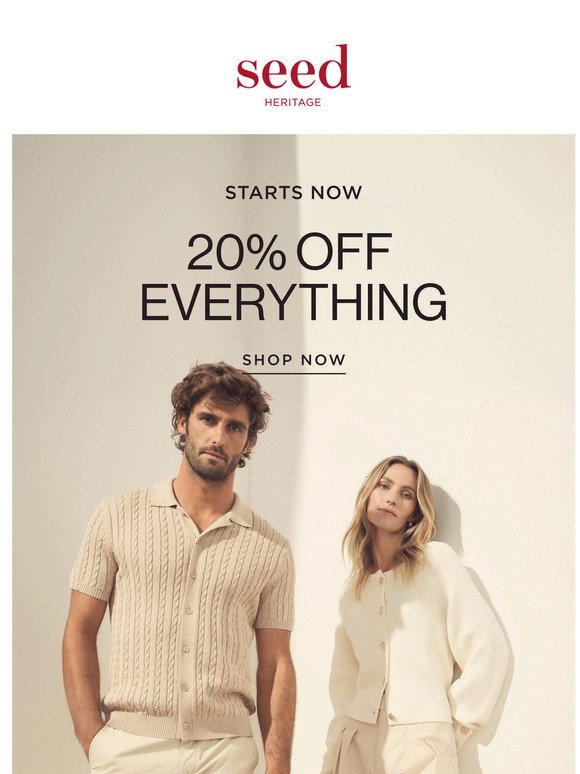
An inbox is a different rendering environment
A website normally runs in a browser you can inspect and refresh. An email is rendered by many inbox applications, often with sanitised markup and different CSS support. A layout that looks correct in a browser can change in an email client. Start with the client audience and the type of message rather than assuming a web page can simply be sent as an email.
Build a hierarchy that survives missing images
Put the main message in readable text, followed by one clear action and the necessary supporting information. Avoid making an entire campaign one large image. If images are blocked, recipients should still understand the sender, purpose and action. Give informative images appropriate alt text and keep decorative elements from adding noise for assistive technology.
Keep the structure dependable
Use a structure suited to the clients you need to support. Presentation tables are still useful for predictable layout in some email clients, while inline styles can help preserve important formatting. Keep your source understandable and separate content modules so they can be reused without copying accidental spacing or broken nesting. Test rather than assuming all modern CSS features work.
Plan for narrow screens and readable actions
Use short paragraphs, sensible line lengths and buttons that remain easy to tap. Do not rely on hover for essential information. Check that a two-column promotion has a usable reading order when stacked and that the primary action is distinguishable from supporting links. Include fallback styles so the email remains useful when a media query is ignored.
Choose image dimensions and formats carefully
Resize source images for their intended placement before sending. A higher-density image can improve sharpness, but unnecessary dimensions increase payload. Use formats supported by the target clients and verify transparency and animation fallbacks. An animated promotion must still make sense from a static first frame. Compression should preserve the text or detail required to understand the offer.
Check content and compliance before delivery
Confirm destinations, tracking parameters, offer conditions, sender details and any required unsubscribe mechanisms in the actual sending platform. Do not put private recipient information into publicly shared links. A design preview cannot establish permission to email a list or guarantee deliverability. Those depend on the sender, list practices, provider configuration and applicable requirements.
Use previews as one step of testing
Our browser preview helper is useful for checking broad layout and mobile width. It does not emulate every version of Outlook, Gmail, Apple Mail or dark mode. Send test messages through your real platform and inspect representative clients, images-off mode and the plain-text alternative. Check the final sent message, not only the original HTML file.
Related tools and next steps
Technical reference: Read the supporting documentation.
For help applying these decisions to a project, contact WebHolick.